 Seoul City Guide
eSIM, SIM Card or Wi-Fi Egg: Getting Data in Korea
An eSIM Korea traveller can activate before landing is now the default, but a physical SIM or a pocket router still wins in specific cases — and you do need one of them, because Korean addresses, maps and taxis all assume a connection. This page compares the three. For the rest of the trip, see things to do in Seoul.
Quick answer eSIM before you fly, SIM for a Korean number, router for a group
Korea has excellent mobile coverage — including underground, in tunnels and on Bukhansan — and you will use it constantly, because Naver Map, Kakao T and translation all need a connection. An eSIM bought before you fly is the simplest answer. A physical SIM matters if you need a Korean phone number. A pocket router makes sense for three or more people sharing.
Key takeaways
- Install an eSIM before departure and it works the moment you land; no queue, no desk, no card to swap.
- Need a Korean number for a booking or a delivery app? That requires a physical SIM with identity registration.
- Airport bundles that add a T-money transport card from about $12 solve two problems in one queue.
The Three Options
What each option gives you and what it does not. Prices are the operators' own, checked in Q3 2026, and vary by data allowance and duration.
| Option | Best for | Korean number | Where to get it |
|---|---|---|---|
| eSIM | Almost everyone with a recent phone | No | Bought online before you fly, activated on landing |
| Physical SIM | Anyone needing a local number | Yes | Airport arrivals desks, or ordered for collection |
| Pocket Wi-Fi router | Groups of three or more, older devices | No | Airport counter, returned at departure |
| Roaming from home | Short trips, if your plan includes Korea | No | Your own operator |
An eSIM needs a phone that supports one and is not carrier-locked. Check both before you buy; the second is the one that catches people out.
Why You Actually Need It
Three things make data non-optional in Korea rather than a convenience.
Maps. Google Maps does not provide reliable walking or driving directions in South Korea, because export of detailed mapping data is restricted by law. Transit directions work; everything else does not. Naver Map and KakaoMap are the replacements, both have English interfaces, and both need a connection.
Taxis. Kakao T is how taxis are hailed, and it removes the address problem entirely — Korean addresses are difficult to convey aloud and drivers rarely speak English.
Everything else. Restaurant reviews are on Naver, translation runs through Papago, and the palace booking systems are online.
Public Wi-Fi is genuinely everywhere — the metro, buses, cafés, convenience stores — and it is fast. But it is not continuous, and standing on a street corner without data trying to find a hanok guesthouse is the specific misery this page exists to prevent.
Which to Choose
eSIM for most visitors. You buy it online before departure, install the profile over your home Wi-Fi, and it activates when you land. No queue at arrivals, no physical card, and your home number stays reachable on the other line. Data-only, which is what almost everyone needs.
Physical SIM if you need a Korean phone number — for a restaurant booking system that sends an SMS code, for a delivery app, or for a longer stay. Korean numbers require identity verification, which is why they come from a staffed desk rather than a vending machine.
Pocket router, the 'Wi-Fi egg', for a family or a group: one device, several phones, one price. The trade is that it needs charging, everyone has to stay near it, and it must be returned at the airport on departure.
Roaming if your home plan already includes Korea at a sensible rate — which is worth checking before buying anything, particularly for a three-day trip.
The bundles sold at Incheon arrivals that pair a SIM with a T-money card from about $12 are the pragmatic choice for anyone who has not sorted this out before landing.
What to Read Next
Three pages that assume you have data.
Getting around
Cards, fares, apps and last trains: getting around Seoul.
- Naver Map, not Google
- Kakao T for taxis
- Metro ₩1,550
Airport to city
Where to collect a SIM and which train to take: Incheon airport to Seoul.
- Express ₩13,000
- All-stop on a transport card
- Bundles from $12
K-ETA
Whether you need the travel authorisation at all: K-ETA in 2026.
- Waived to 31 December 2026
- About US$7–8 if you apply
- Official site only
Collected at Arrivals
The airport bundle we track, pairing a traveller SIM with a transport card. Ratings and prices are the operator's own figures.
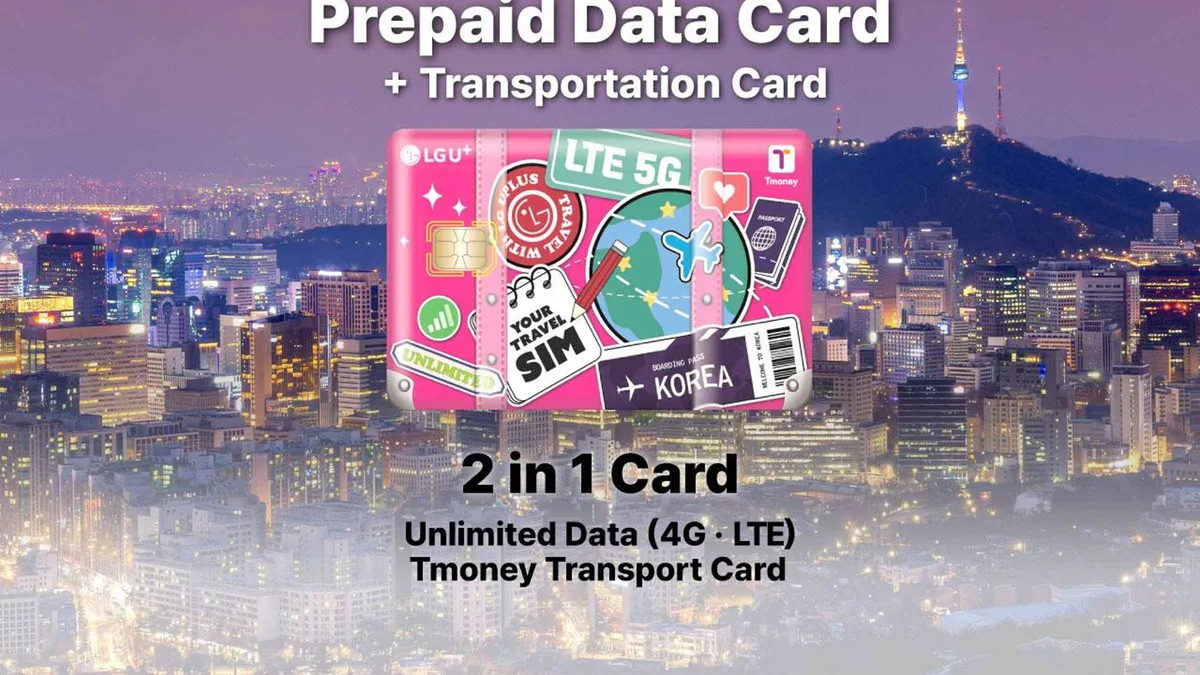 from $11.99
Incheon Airport: Traveler SIM & T-money Transportation Card
Enjoy unlimited 4G data while you are traveling in Korea. Stay online with a stable, high-speed.
Check AvailabilityPrices, ratings and details are the platform's own. Dollar figures are the listed prices. The platform bills in your account's currency.
Data Questions
Do I need a SIM card in Korea?
You need data in some form. Naver Map, Kakao T and translation all require a connection, and Google Maps does not give walking directions in Korea. Public Wi-Fi is excellent but not continuous.
Is an eSIM the best option for Korea?
For most visitors, yes — bought before departure, activated on landing, no queue and no card swap. You need an eSIM-capable, carrier-unlocked phone.
Do I get a Korean phone number with an eSIM?
Usually not; tourist eSIMs are data-only. If you need a Korean number for SMS verification, buy a physical SIM at an airport desk, which involves identity registration.
Where do I buy a SIM at Incheon airport?
At the telecom desks in the arrivals halls of both terminals. Bundles that add a T-money transport card start around $12 and remove two queues at once.
Is a Wi-Fi egg worth it?
For three or more people sharing, yes — one device and one price. The trade is charging it, staying near it and returning it at the airport.
Is public Wi-Fi good in Seoul?
Very. The metro, buses, cafés and convenience stores all carry it and it is fast. It is a supplement to mobile data rather than a replacement.
Data Options on Video
SIM, eSIM and router options compared on camera.
BEST Korea Mobile Data Options for Tourists in Seoul 2025 - SIM Card, ESIMs and FREE data
Video: PhatLife ProjectHow to Choose the Best SIM Card in Korea for Foreigners (2026 Guide 🇰🇷📱)
Video: WOORI MOBILESouth Korea eSIM: World-Class Network, But You Still Can't Get a Korean Phone Number (2026)
Video: cairnroamVideos are other people's work, embedded for context; nothing here is sponsored.
Prices, hours and terms are set by the venue or operator and confirmed at checkout.
We may earn a commission if you book through one of our links, at no extra cost to you. Full affiliate disclosure